Finding your way around Empliora
8 Jul 2026 · 2 min read
A quick tour of the dashboard, the menu and your reminders so you always know where things live.
New to Empliora? This short tour shows you the three things you will use every day: your dashboard, the menu down the side, and your reminders. Once these click into place, everything else is easy to find.
- 1
Start on your dashboard
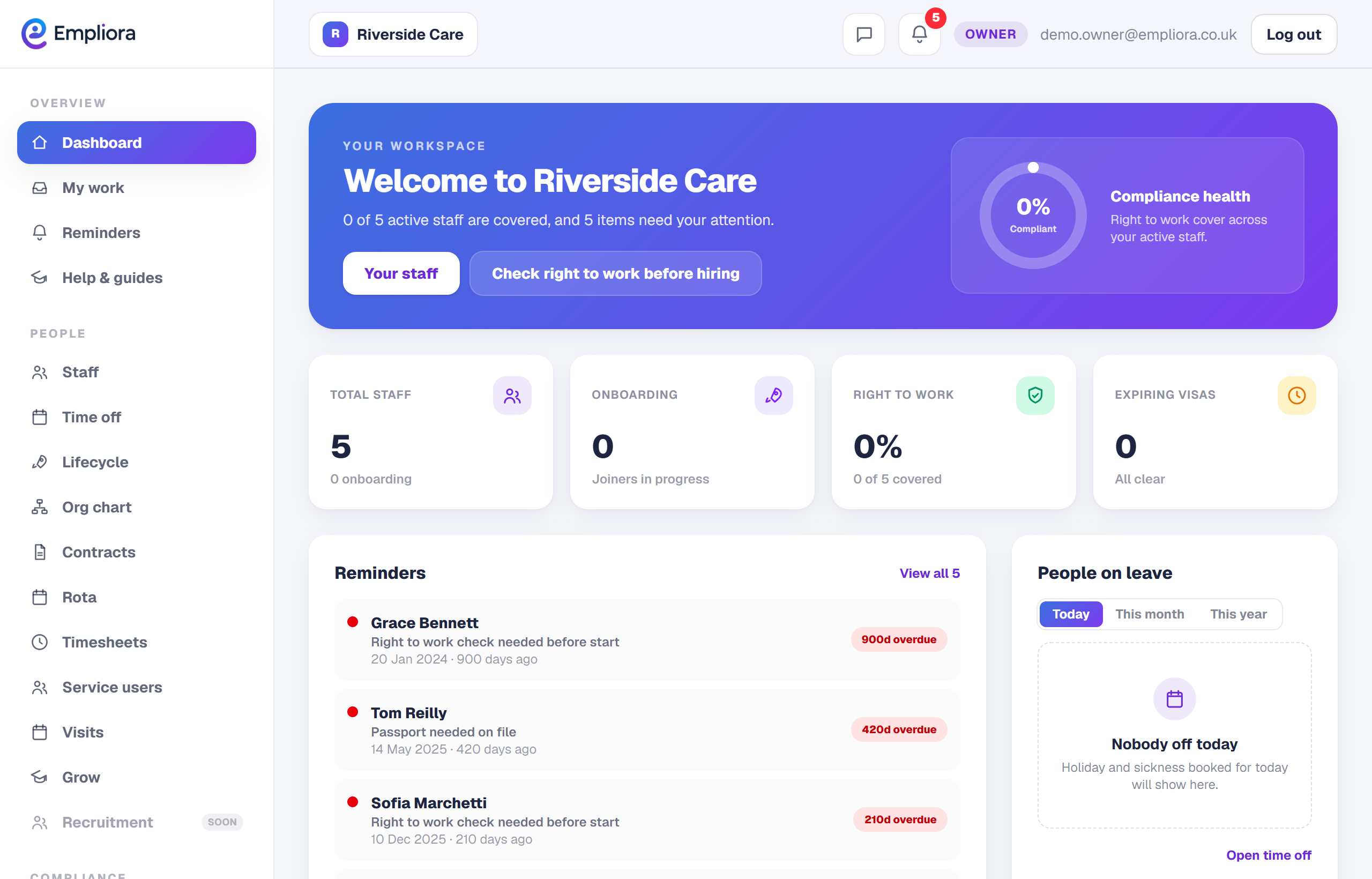
When you sign in you land on your dashboard. It brings together anything that needs your attention today, such as a right to work check that is due or a holiday request waiting for a decision. Think of it as your morning to do list.
- 2
Use the menu to move around
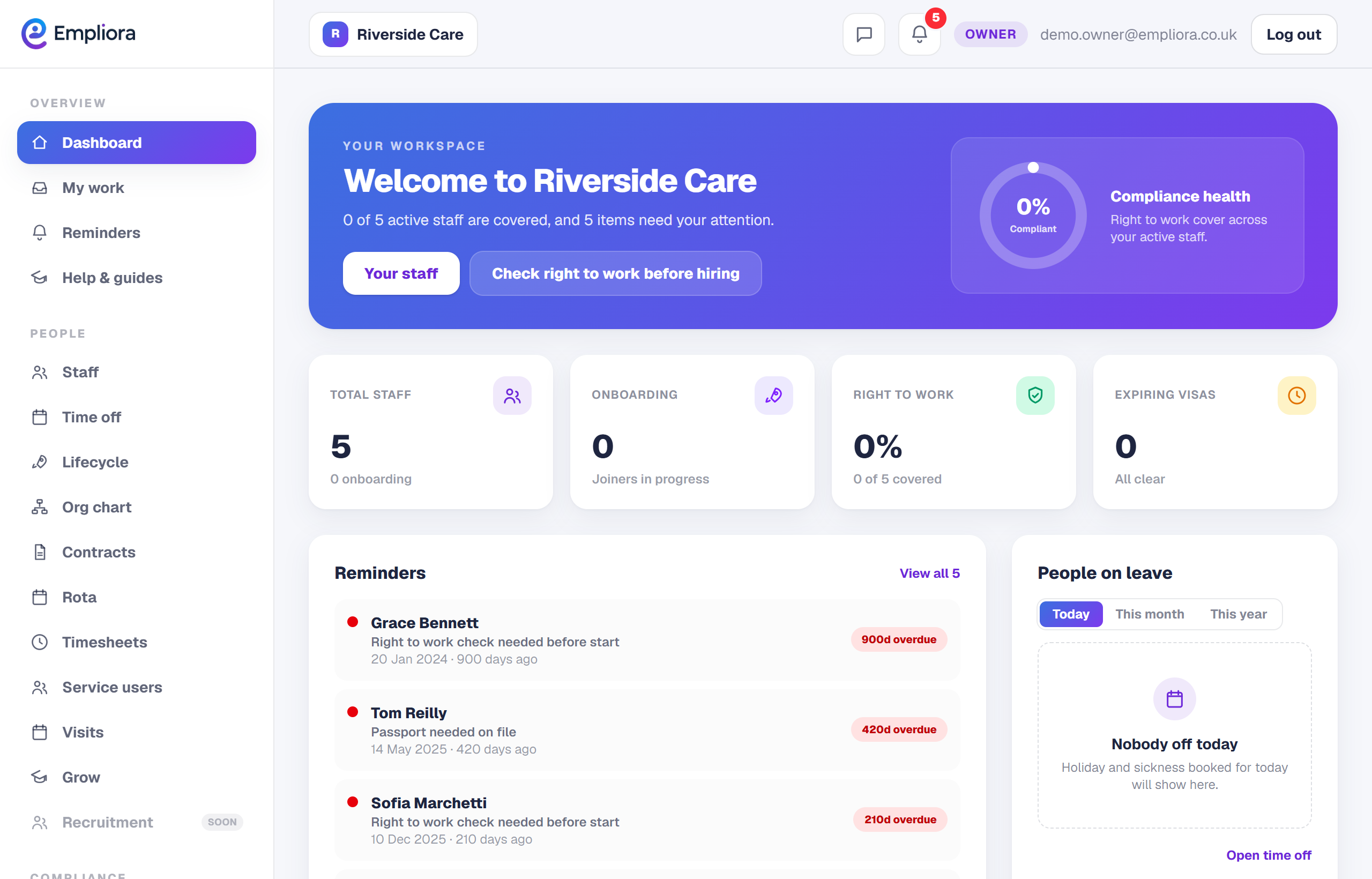
The menu down the left groups everything by area: Overview, People, Compliance, Workplace, Insights and your Company settings. You only see the parts your plan includes, so the menu stays tidy.
- 3
Check your reminders
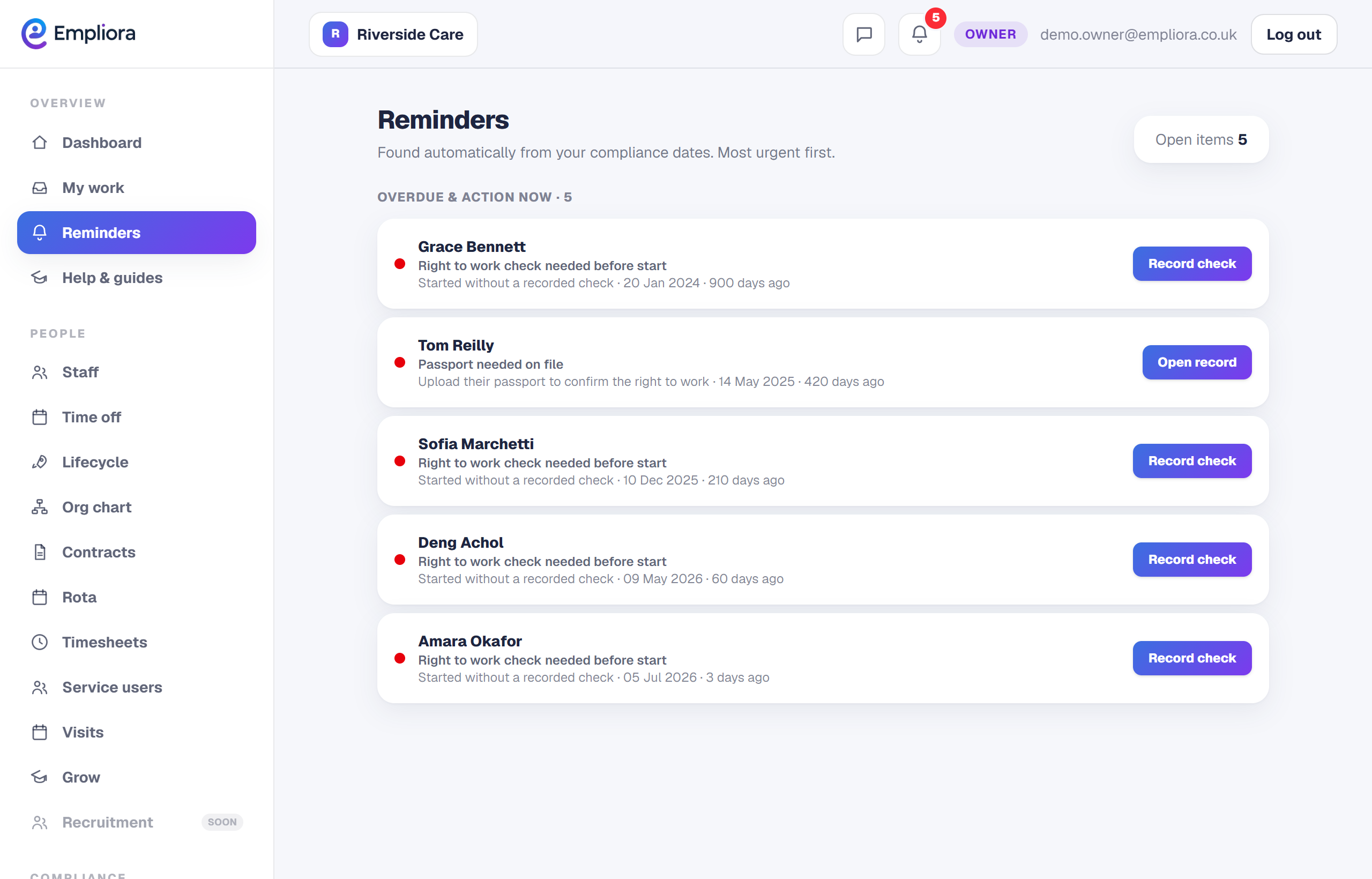
The bell at the top, and the Reminders page, show what is coming up: documents about to expire, visas nearing their end date, checks that are due. Empliora keeps this list current for you, so nothing slips through.
- 4
Switch business, if you have more than one
If you run more than one business on Empliora, use the switcher at the top to move between them. Each business keeps its own people, documents and settings. That is the whole layout. From here, a good first job is to verify your business with Companies House, then add your team.