Structured reviews with ratings, notes and agreed goals.
Before you start. The person is current staff.
Step by step
- 01
Open Performance
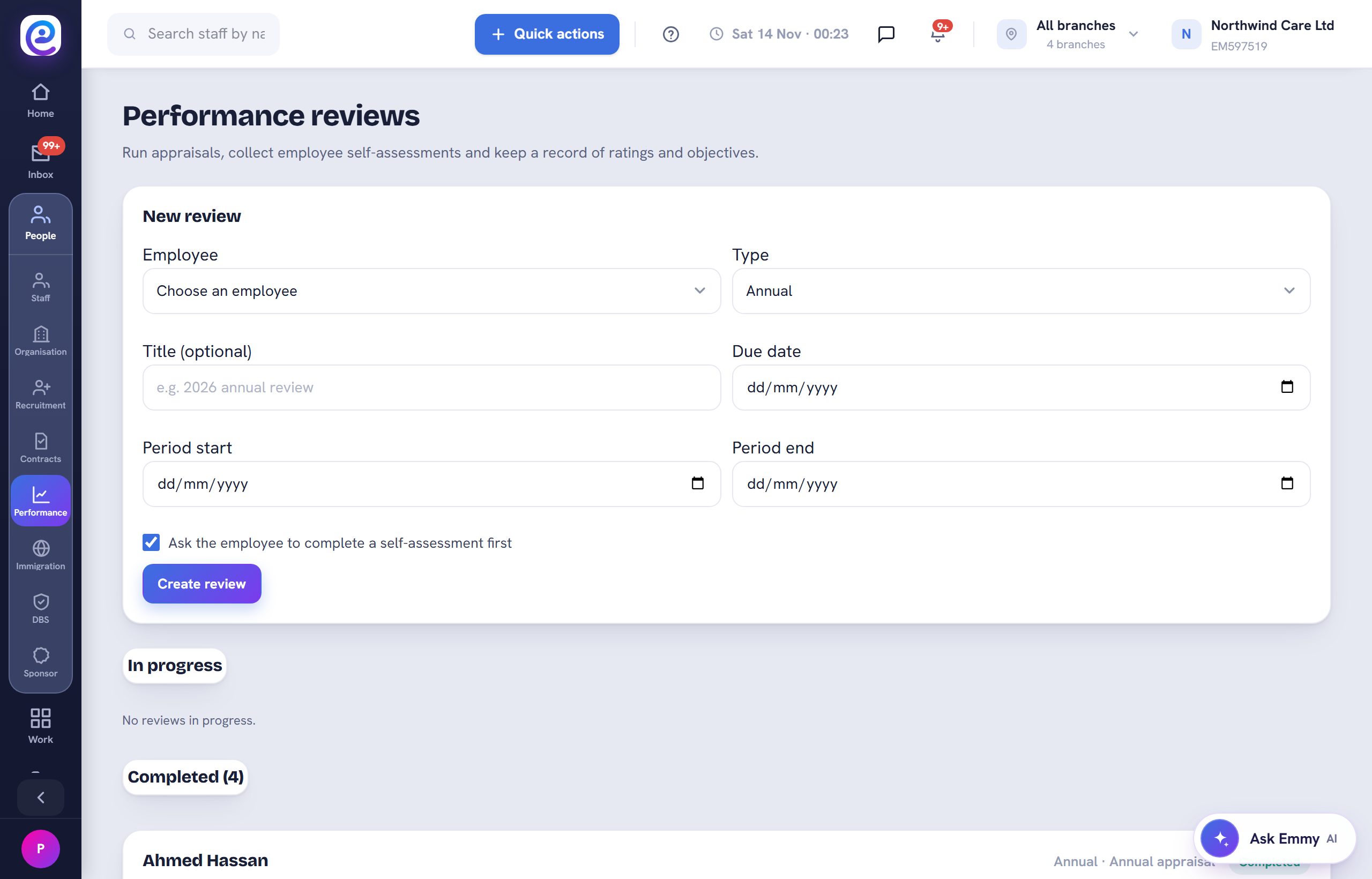
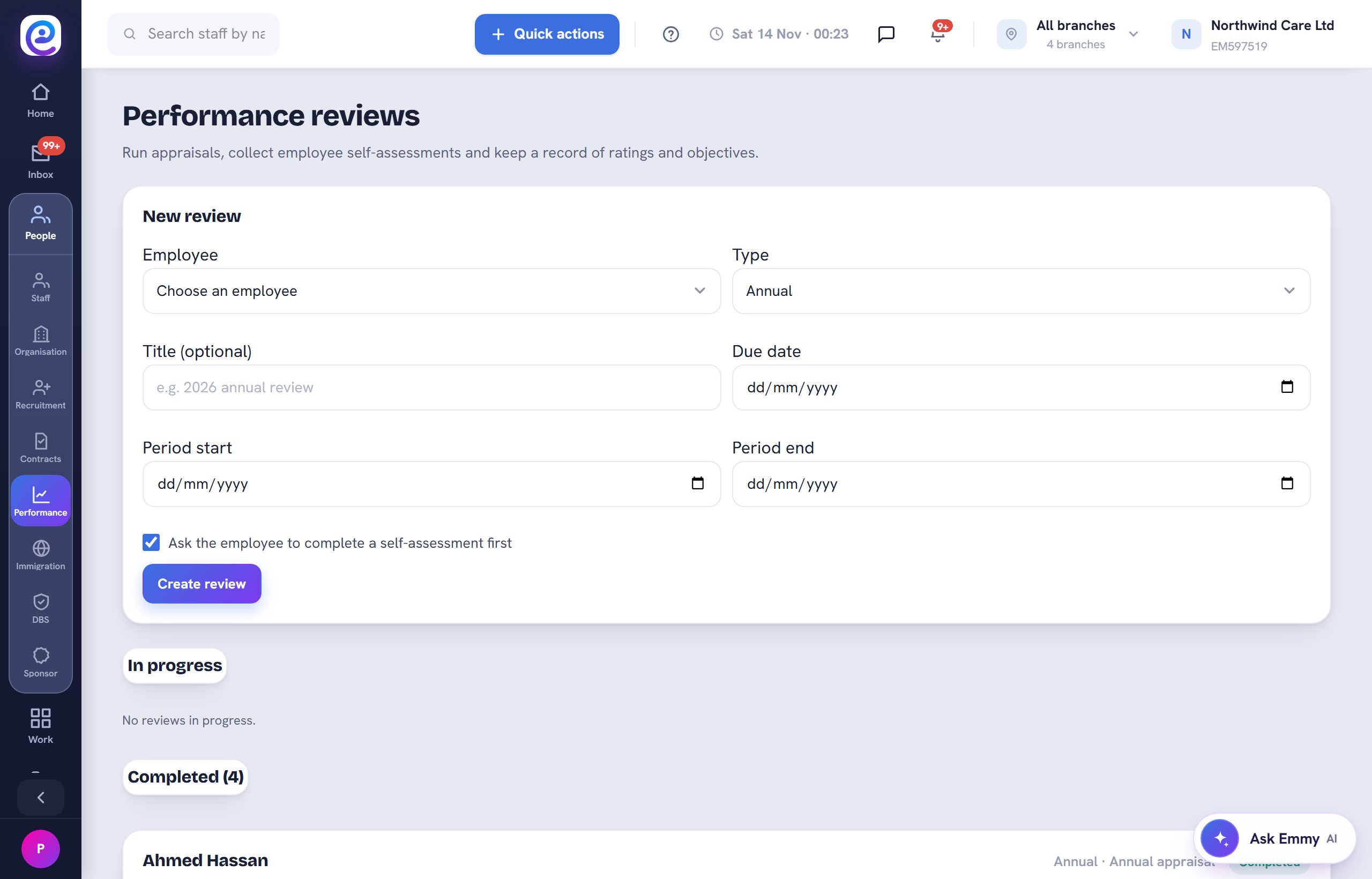
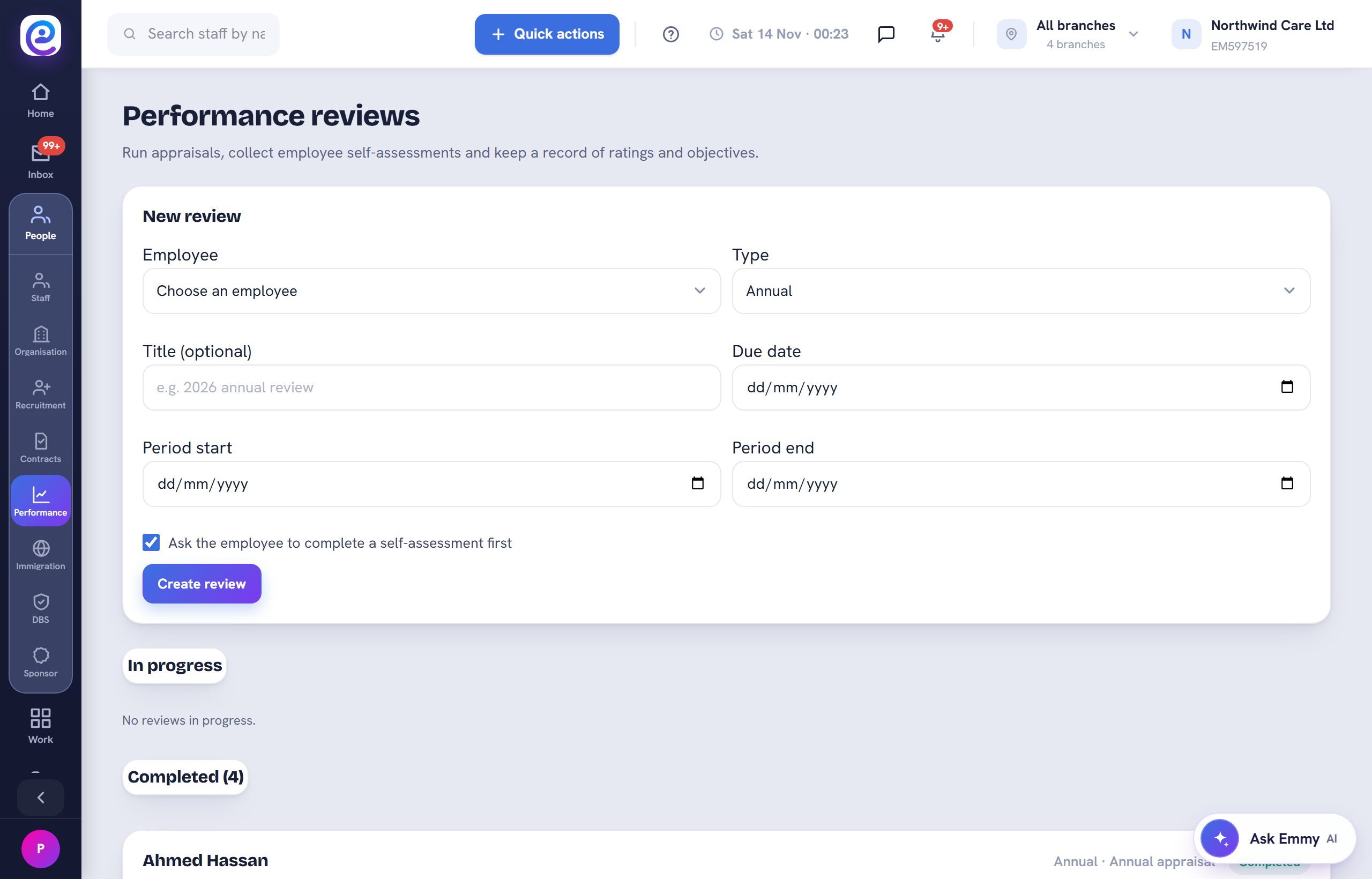
Open People, then Performance. Reviews in progress and completed reviews are listed.
- 02
Create a review
Pick the employee and the review type, then select Create review.
- 03
Keep the record
Completed reviews stay on the person's file for future reference.
You are all set
The review appears under Completed and on the employee's record.
Next guide
Hire with Recruitment
Post an opening, move applicants through stages and hire into onboarding.

Previous: Track training and certifications