Send an announcement
8 Jul 2026 · 1 min read
Get an important message to your whole team and prove they have read it.
Announcements let you reach everyone at once and, when it matters, prove they have seen the message. Useful for policy changes, rota notices or anything you cannot afford people to miss.
- 1
Write your message
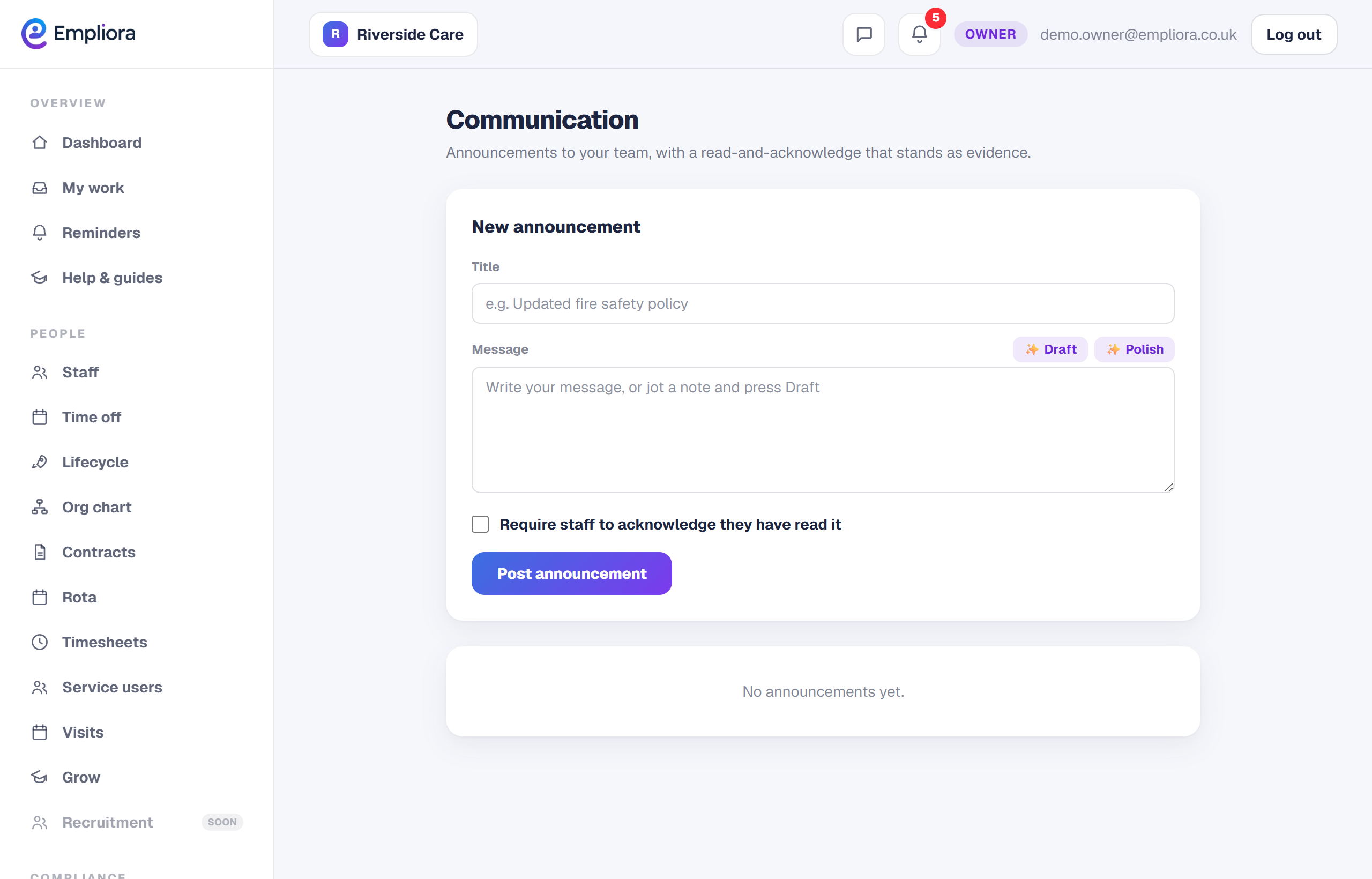
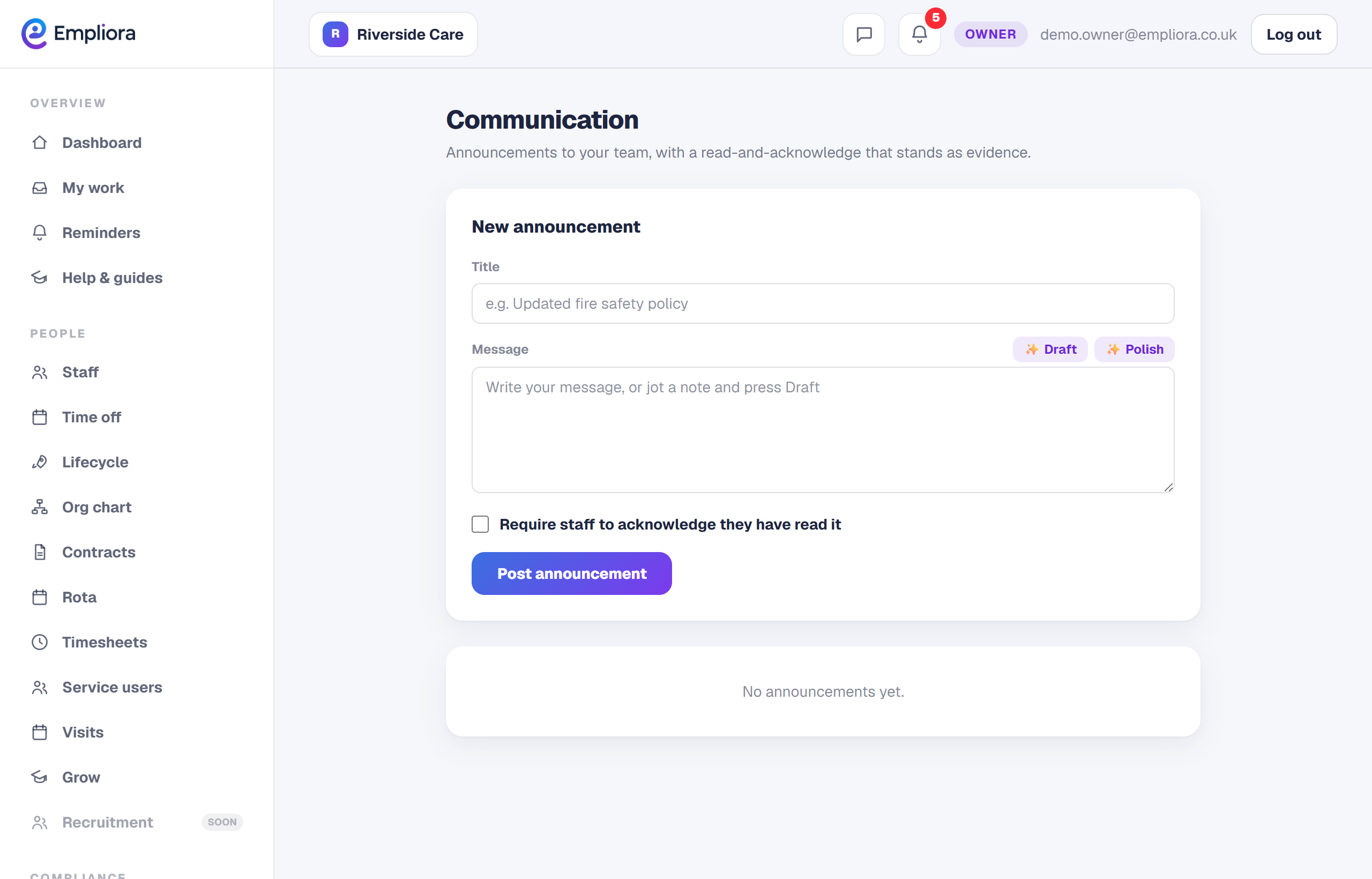
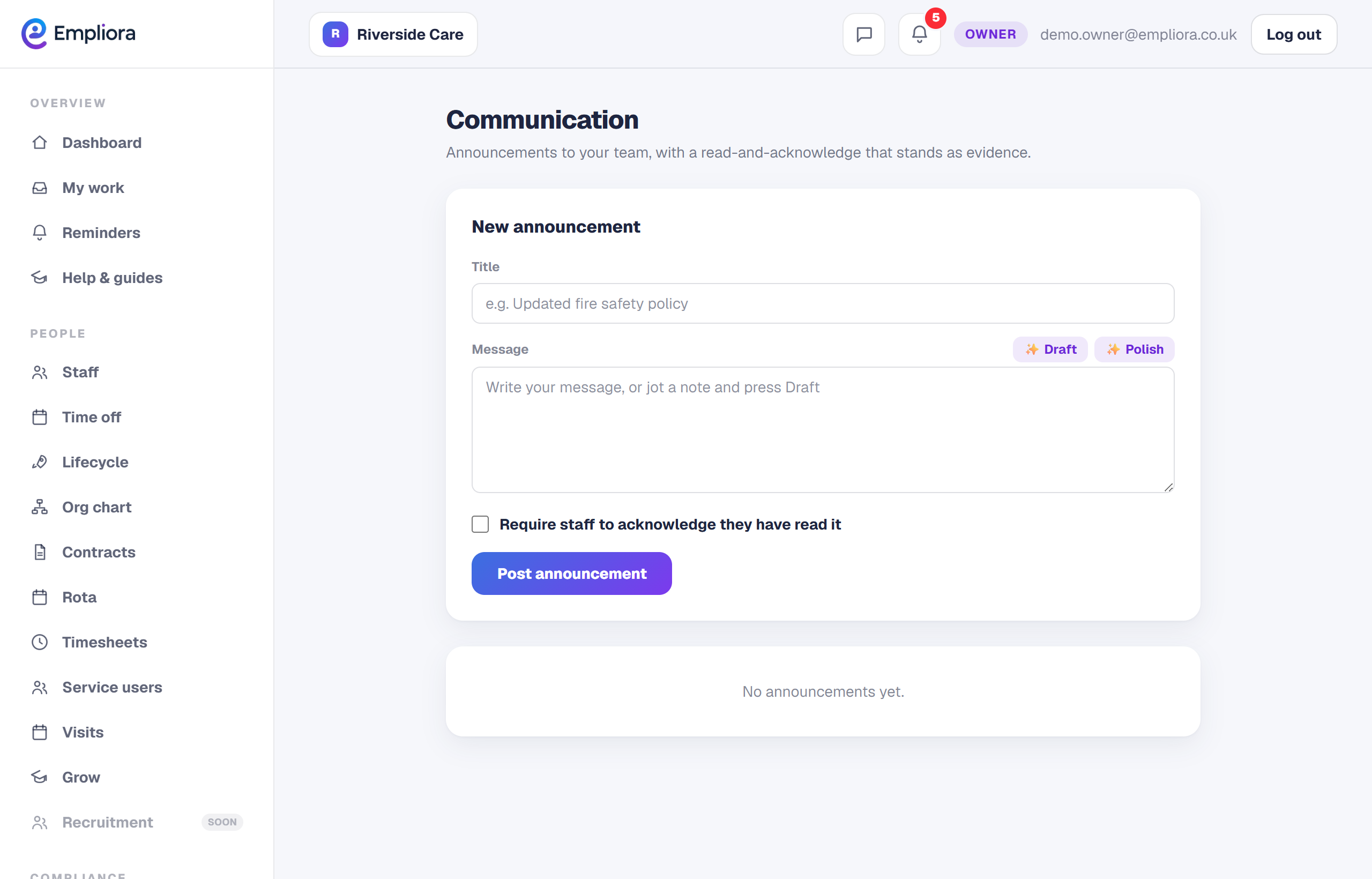
Open Communication and write your announcement. Keep it clear and to the point. It appears in the Messages tab of every person's app.
- 2
Ask for acknowledgement
Turn on acknowledgement when a message matters, such as a new procedure. Staff then have to tap to confirm they have read it, which gives you a record.
- 3
See who has read it
Each announcement shows who has seen and acknowledged it, so you can chase the few who have not rather than remind everyone. Acknowledged messages are a simple way to show you communicated a change, which helps at audit time.