Produce professional HR documents in seconds and get policies acknowledged.
Before you start. Your business profile is complete.
Step by step
- 01
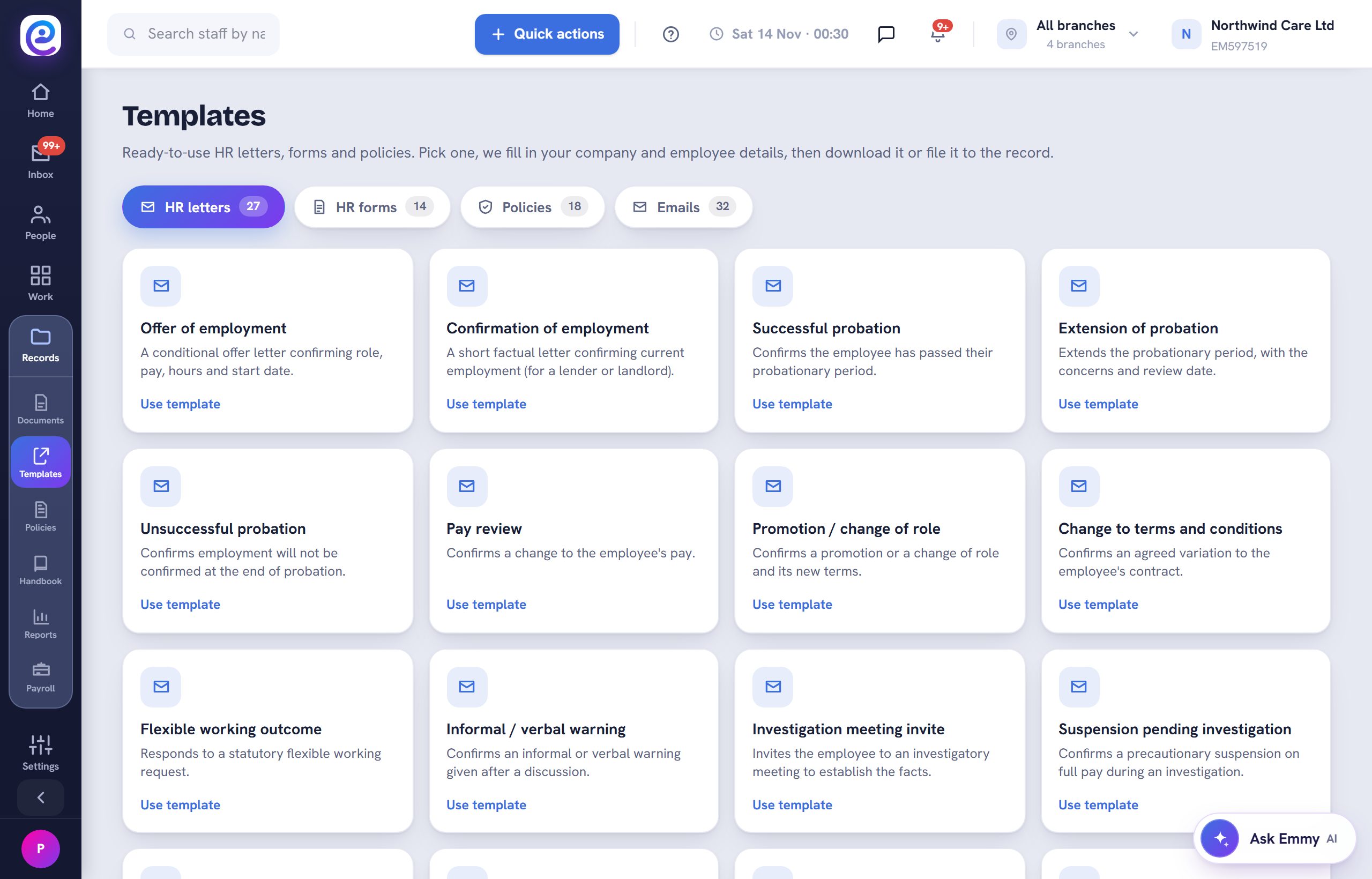
Open Templates
Open Records, then Templates. Letters, forms, policies and emails each have a tab.
- 02
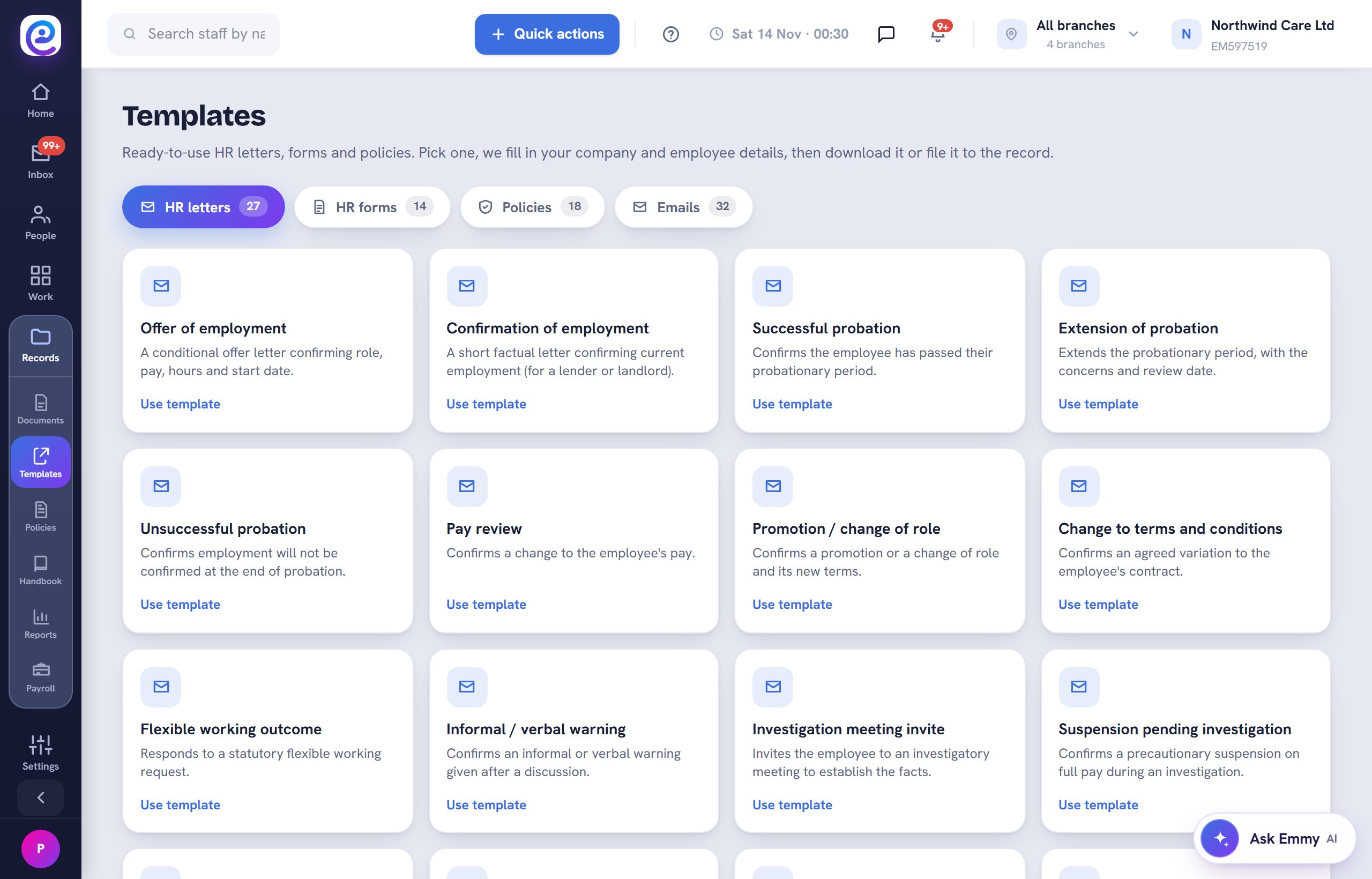
Use a template
Select Use template. It fills with your company and the employee, then download it or save it to their record.
- 03
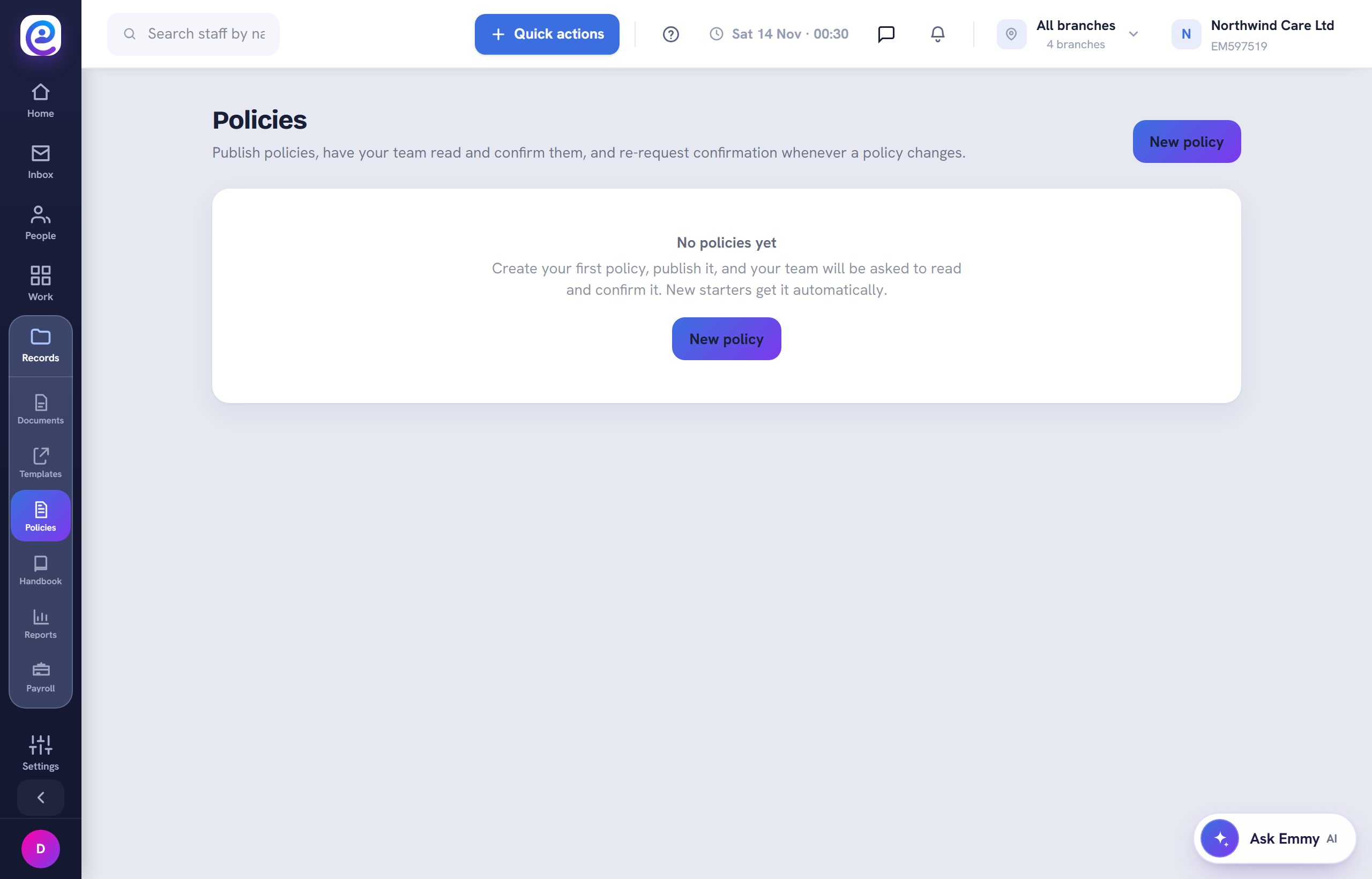
Publish a policy
Open Policies and select New policy. Staff sign it in the app and re-sign when it changes.
- 04
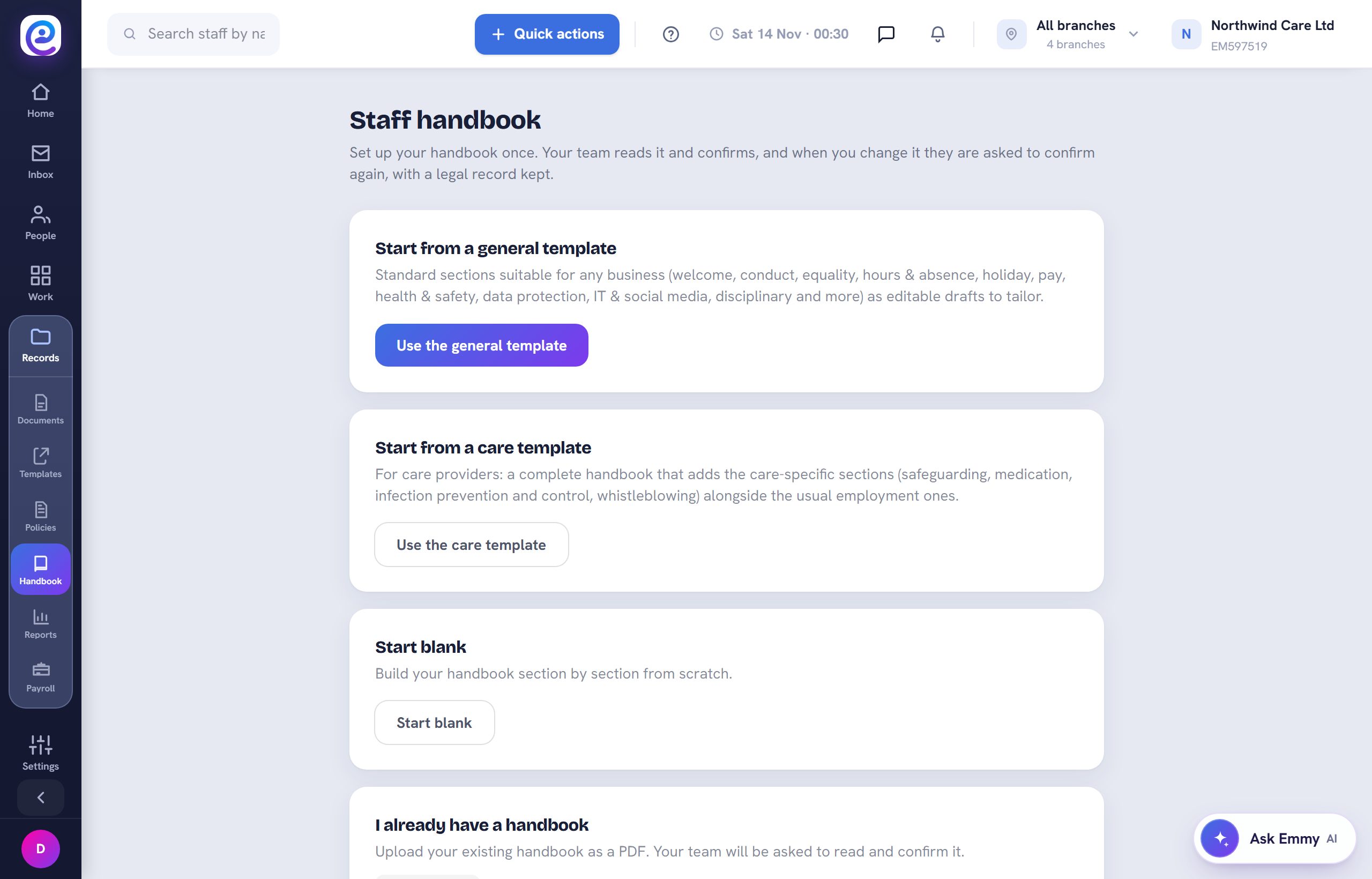
Build your handbook
Open Handbook to start from a general or care template, start blank, or upload your own.
You are all set
Staff acknowledgements show against each policy and on their profile.
Next guide
Chat with your team
Direct messages and groups with your staff, with read receipts.

Previous: Let your accountant upload payslips